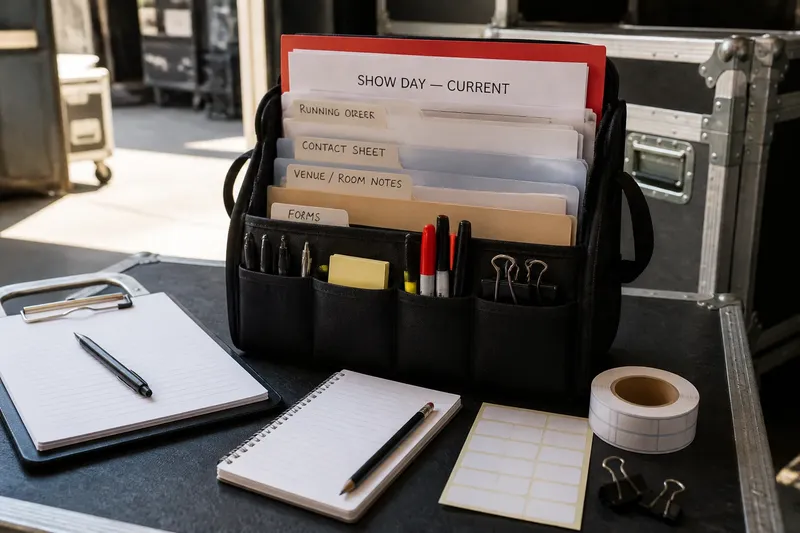
One Shared Concert Production Sheet or Separate Briefs?
A shared concert production sheet keeps changes visible; role-specific briefs cut clutter. Choose the right mix to give every crew member useful, current information.

A shared concert production sheet works best when everyone needs the same current facts, while separate briefs work better for details only one role uses. Trouble starts when a team chooses one format for every kind of information, then discovers that some people cannot find what they need and others cannot tell which version is current.
The practical answer is often a small shared source of truth plus focused briefs drawn from it. That is not a compromise for its own sake: it separates the job of recording decisions from the job of making them easy to use backstage.
When the sheet overwhelms people
A single document can seem wonderfully simple during planning. Add the running order, contact names, access notes, equipment details, room arrangements, cue information, and late changes, though, and a performer may have to scroll past pages of technical material to locate a call time.
The cause is usually not the shared format itself. It is the assumption that shared access means every reader should see every detail in the same layout. A document can be technically available and still be hard to use under pressure.
Try grouping information by the decision someone needs to make. Put the current schedule and essential contacts near the top, then use clearly named sections for production, performers, front of house, and venue details. If the file becomes long, make a short role brief that points back to the shared source for information likely to change.
For example, imagine a volunteer usher opening a phone-sized document shortly before doors. If the first page begins with a compact arrival note, the room assignment, and the person to contact, the usher can act without searching through sound-check notes. The technical team can still use the same source for its own detailed section.
When a brief goes stale
Separate briefs make information easier to scan, but they create more places where a change can be missed. A revised performer arrival time might appear in the coordinator’s file while an older copy remains in a stage manager’s email attachment.
This usually happens because a brief is treated as a separate record rather than a view of shared decisions. Once people start correcting their own copies, nobody can confidently tell which version reflects the latest agreement.
Keep one clearly identified master document for agreed facts. When a change affects several roles, update the master first, then revise only the briefs that depend on it. Add a visible “updated” note near the top of each brief, with a date or time appropriate to the production’s working routine, and remove or clearly mark obsolete copies in the shared location.
A brief should also tell readers where to check for a late change. A simple note such as “Check the shared production file for current timings” is useful only if the file is genuinely accessible to that reader and has an obvious current version.
When access becomes a problem
A shared file is only shared if the people who need it can open it. A venue login, an unfamiliar cloud service, a weak backstage connection, or a device restriction can turn a convenient link into a dead end right when someone needs a contact or a room assignment.
Before relying on an online document, confirm that each role can open it using the device and account they are likely to have. For someone who needs a paper copy, or who may work without reliable internet, provide a current offline version. Keep sensitive personal details limited to the people who need them rather than exposing them in a broadly accessible file.
For role-specific briefs, think about access just as carefully. Sending a PDF directly may be easier than asking a casual crew member to navigate a folder, but attachments can linger after revisions. Put a version marker on the file and give recipients a clear way to confirm whether it is current.
When people see too much
Relevance is not merely a matter of saving time. Extra detail can obscure a responsibility or expose information that a reader has no reason to use. A performer may need a call time, dressing-room location, and a contact; the same person may not need internal staffing notes or private access arrangements.
Separate briefs help tailor information, but tailoring can go too far. If every role gets a different account of the schedule or the same instruction is paraphrased several times, people may spot apparent conflicts and spend time asking which one governs.
Keep shared facts worded consistently, even when they appear in different briefs. Tailor the surrounding explanation, not the underlying decision. A stage manager’s brief can explain how a timing change affects their cues, while a performer’s brief can show when to be ready; both should draw on the same agreed timing.
What is not worth the effort is producing a beautifully designed document for every small role when a clear, relevant section would do. Spend effort on finding the information, controlling revisions, and making responsibilities unmistakable. Formatting cannot compensate for unclear or conflicting content.
How should the documents work?
What belongs in the shared sheet?
Put facts that affect more than one role in the shared source: the current schedule, agreed locations, key contacts, and decisions that multiple people need to coordinate around. Keep private or narrowly technical material restricted when broad access is unnecessary.
What belongs in a role brief?
Include the information a particular role needs to prepare and act, arranged in the order that role uses it. A brief can add context and responsibilities, but it should not quietly create a different version of shared decisions.
How can late changes stay in sync?
Record the agreed change in the master, identify which roles it affects, and update those briefs from the same source. Make the current version easy to recognize and tell recipients where to check if a last-minute revision is possible.
Should everyone get the same file?
Give everyone access to the shared facts they need, not necessarily an identical working view. A role-specific brief is useful when it reduces searching or limits unnecessary disclosure, provided it points back to a dependable current source.
A reliable document pattern
For a small concert, a shared sheet might hold the latest schedule, venue contacts, common locations, and a short change log. The stage manager’s brief could then highlight cue responsibilities and technical dependencies, while the front-of-house brief could focus on audience arrival and room assignments.
Before distribution, check that each brief answers three practical questions: What do I need to do? Where or when do I need to do it? Who should I contact if the information conflicts with what I see on site? If a brief cannot answer those questions, revise it before adding more detail.
Say the venue shifts a sound check after the first set of documents has gone out. The coordinator updates the shared schedule, then checks which role briefs mention that sound check and revises those copies. The expected observable result is that affected people see the same revised timing, while others are not sent an unnecessary replacement file.
Keep the system modest enough that someone can maintain it during a busy production day. One clearly named master, a few purposeful briefs, and a visible route for checking changes are usually easier to trust than a collection of polished files with no obvious owner.
When deciding between a shared concert production sheet and separate briefs, ask where a reader will look for the fact that matters to them and how they will know it is current. If both answers are clear, the format is doing its job; if not, simplify the route to the information before adding another document.