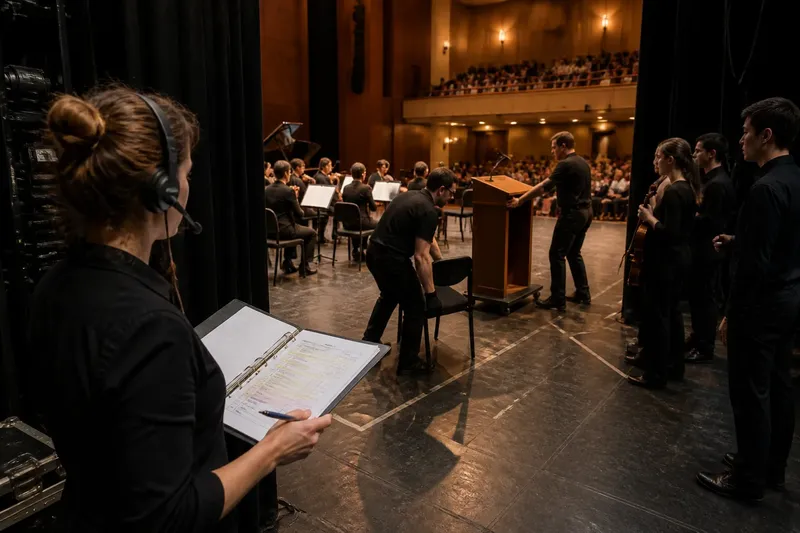
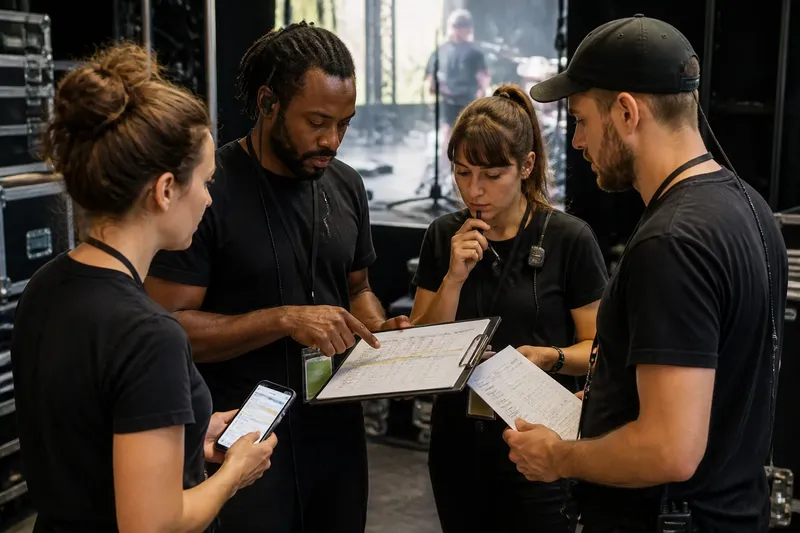
What Belongs in a Show-Day Kit?
A show-day kit stays compact when each item answers a likely task, giving the team useful paperwork and ordinary supplies without speculative clutter.
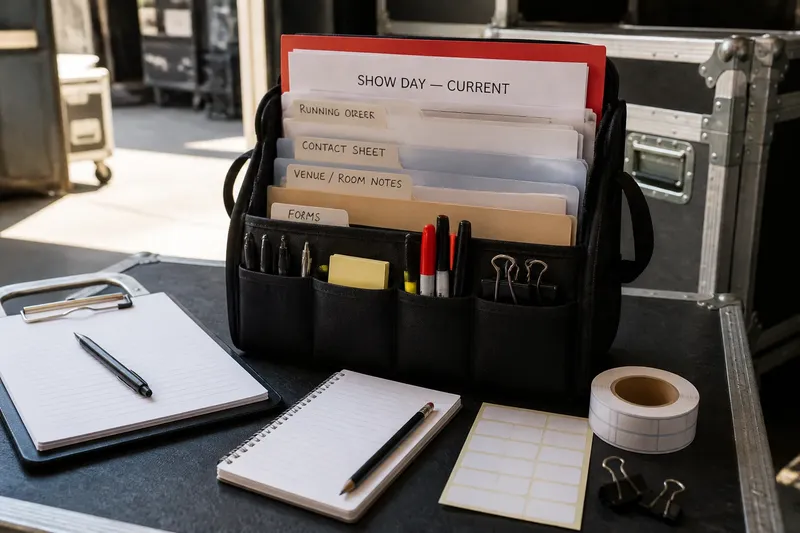
A useful show-day kit starts with the tasks the team expects to handle, not with a shopping list of things that might come in handy. For concert production, that simple change keeps ordinary paperwork and supplies close at hand without turning the backstage table into a catchall.
The kit is not a substitute for venue equipment, trained staff, or specialist safety gear. Its job is to make routine coordination easier: finding the current schedule, marking a change, labeling a box, or keeping a copy of an important contact close by.
Start with likely tasks
Before packing anything, list the small jobs people may need to do during the show day. Think about the actual sequence of work at your venue: arrival, room setup, artist check-in, audience entry, performance, and the transition out of the space.
For each task, ask what information or ordinary material someone would reach for. A task such as confirming who is expected at a particular door may call for a current contact sheet. A task such as labeling a collection of music stands may call for removable labels and a marker.
Keep the list grounded in responsibilities the team already has. If the venue provides its own ticketing, communications, or technical systems, those belong to the venue’s process rather than in a general kit. The kit should support the handoffs around those systems, not duplicate them.
Match items to jobs
Link each proposed item to a specific task. If you cannot name the task, the item is probably speculative. If several items serve the same job, choose the simplest one that fits the team’s routine.
- Current running order: Keep a printout for quick reference when someone needs to confirm what follows a changeover. Mark it clearly as the current version.
- Contact sheet: Include the names and approved contact routes for the people who need to coordinate on site. Avoid putting private details in copies that may be left in public view.
- Venue or room notes: Carry concise information about agreed access points, meeting places, and the location of ordinary supplies. Use the venue’s established instructions for anything safety-related.
- Blank paper and pens: These support temporary notes, a message for a colleague, or an annotation that can later be transferred to the proper record.
- Removable labels and a marker: Use them for non-permanent labels on cases, folders, or shared materials when the team needs to tell similar items apart.
- Small clips or binder clips: These can keep loose pages together or attach a note to a folder without adding a complicated tool.
- Spare copies of essential forms: Include only forms people are expected to use, such as a sign-in sheet if the production already uses one.
This is a menu, not a universal packing list. A small recital with a stable team may need only a few documents and writing tools, while a venue with several work areas may benefit from labeled folders for different teams. Choose according to the tasks, not the size of the event alone.
Keep documents current
Paperwork can become a liability when it looks official but is out of date. Put a clear version label or issue date on working documents, and remove superseded copies when a change is approved. If a person finds two different running orders in the kit, the kit has created a problem instead of solving one.
Use one designated place for the current set of documents. A folder with a plain label, such as “Show day—current,” is often easier to interpret than several loose stacks. Keep draft notes separate so they are not mistaken for confirmed instructions.
Share only the information a person needs for their role. A contact sheet intended for the production team may not belong on a public-facing desk, and a detailed internal note may be more confusing than helpful to someone covering a brief task. Keep sensitive or personal information out of broadly accessible copies.
Choose useful ordinary supplies
Ordinary supplies earn their place by being easy to use, easy to replace, and appropriate for the job. A couple of reliable pens, a pencil, a marker, a small pad, and removable labels can cover many routine moments without requiring a bulky organizer.
Consider the environment before adding materials. A label that peels away cleanly is more suitable for borrowed cases than permanent adhesive; a folder is more useful than loose pages if people will carry documents between rooms. A clipboard can help where there is no convenient writing surface, but it is unnecessary if the team already has one at its station.
Do not add specialist tools or materials just because they are common in a technical kit. Electrical, rigging, medical, chemical, or other safety-critical needs belong with qualified personnel and the venue’s established procedures. The general show-day kit should not tempt an unqualified person to improvise.
Decide what stays out
A compact kit has boundaries. Leave out objects whose purpose depends on an unconfirmed problem, items that duplicate what the venue supplies, and materials that no one is assigned to manage. Extra cables, medicines, repair products, and assorted tools can create confusion or raise safety concerns when their use has not been agreed.
It is also not worth the effort to pack a separate version of every document “just in case.” Multiple copies can be useful when several teams truly need them, but indiscriminate printing makes it harder to identify the current instruction. Copy only what a task requires and place each copy where its users will look.
For items whose suitability depends on a label, manufacturer instructions, or local rules, follow those requirements rather than treating the general kit list as permission to use them.
How should the kit be organized?
Should every department have a separate kit?
Not necessarily. Start with one shared kit for common paperwork and ordinary supplies, then separate items only when different teams need them at different locations or the shared arrangement causes delays.
How many copies should go inside?
Include enough current copies for the people who need to consult them in separate places, without printing for every person by default. If access to a digital version is part of the team’s agreed process, paper can serve as a concise backup rather than a parallel archive.
What belongs in a last-minute update?
Record the confirmed change, who needs to know, and where the authoritative version will live. A handwritten note can bridge a short gap, but it should not quietly become a second schedule that remains in circulation.
Who should maintain the kit?
Assign one role to check that the kit is present, current, and returned to its agreed place. That person does not need to own every production decision; they simply keep the materials usable and flag missing or outdated contents.
Test the list on paper
Before packing, walk through the task list and point to the item that supports each job. If a task has no item, decide whether it truly needs one or whether another existing process already covers it. If an item has no task, leave it out for now.
Say you are preparing for a chamber concert in a room where the venue already supplies a stage desk and has a set channel for staff messages. The likely tasks include checking the latest running order, directing a late-arriving performer to the agreed meeting point, and labeling a folder of shared notes. A current running-order printout, a concise contact sheet, a few pens, removable labels, and a folder address those jobs; an unassigned collection of tools and duplicate schedules does not.
That paper walk-through also exposes unclear ownership. If no one knows who updates the running order or removes old copies, adding more supplies will not fix the underlying gap. Clarify the responsibility first, then pack for the routine the team has actually agreed to use.
Review after the show
After the room clears, note which items were used, which were hard to find, and which remained untouched. Treat that as a prompt for the next packing decision, not as a reason to keep every unused item. One unused item may still support a likely task; a pile of unrelated extras usually signals that the list needs pruning.
Return reusable supplies to their home, remove obsolete paperwork, and pass unresolved notes to the person responsible for the next production. A brief review keeps the show-day kit aligned with real work, while the task-first rule remains simple: pack what helps someone do an expected job, and leave speculation outside the case.